
Microsoft makes it difficult to use Windows 11 without a Microsoft account
The company is removing a script in current test versions that could be used to circumvent the attack. For “security reasons,” they claim. Anyone who wants to use Windows 11 needs a Microsoft account. At least, that’s what the software maker requires, but until now, there was a way around this. With a new trial version, the software maker is now closing this loophole.
One less possibility
In the current Windows Insider build for developers, Microsoft has removed a script that allowed users to bypass the Microsoft account login during a fresh system installation. Called Bypassnro, this script could be called from the command line during installation. This script also made it possible to set up Windows 11 without an internet connection.
But that’s exactly what Microsoft no longer wants, and sees it as a security measure and an improvement to the user experience . After all, this ensures that every user has a functioning internet connection and is connected to their own Microsoft account after installation.
Doubtful coercion
While the connection may be beneficial for many, such as direct integration with Microsoft 365, for those who want to use their Windows entirely with a local user account, this is another good reason to look for alternatives to Windows. Although there are still ways to circumvent this requirement.
As mentioned, the change has currently only been implemented in the Windows 11 Dev Channel. This also means it will take some time before it reaches the wider public. This will likely be the case with Windows 11 25H2, which is scheduled for release in the second half of the year. (apo, March 30, 2025)
Microsoft closes known gap in Windows installation without Microsoft account
Microsoft is increasing the requirement to use a Microsoft account when installing Windows 11. A popular way to circumvent the account requirement will soon be blocked.
A new preview version of Windows 11 makes it clear that Microsoft will only allow installation of the operating system with a Microsoft account in the future. Currently, Windows 11 can be installed without such a login if the user knows how to call a specific script. However, this will soon be eliminated, as Microsoft explains in a beta version of the operating system released a few days ago as part of the Windows Insider program. However, there is already a countermeasure, albeit somewhat complex, to continue using this circumvention.
To encourage the use of cloud services and accounts, Microsoft blocked Windows installation with a local account as early as June 2024. The previously popular and frequently used method of entering a nonexistent name such as “Windows” or “Microsoft” and an arbitrary (invalid) password as the account name during Windows installation is no longer available.
Users who want to install Windows 11 with only a local account and without cloud services must therefore circumvent Microsoft’s requirements in another way. To do this, you cut off your network connections during installation. Windows will then indicate that there is no internet connection. You then run the command in the Windows command prompt oobe\bypassnroto restart Windows Setup. The installer will then display the “I don’t have internet” option, which allows you to create a local account.
Microsoft removes popular bypass script
But this workaround will soon be history, as Microsoft writes about the recently released “Windows 11 Insider Preview Build 26200.5516” (KB5054687). Amidst the description of numerous new features and fixes, it states : “We’re removing the bypassnro.cmd script from the build to improve the security and user experience of Windows 11. This change ensures that all users complete Setup with an internet connection and a Microsoft account.”
The bypass script still functions in all common Windows 11 versions, except for the beta version mentioned earlier, where it has removed. However, it is expected that Microsoft will integrate this change into one of the upcoming Windows 11 updates if the beta testers do not encounter any issues. Therefore, anyone who wants to continue installing the operating system using the bypass script should not use the latest version of Windows 11 in the future.
Offline installation via registry command
However, there is another alternative to installing Windows 11 without a Microsoft account, as can be found in X. Shift The bypass script can be reactivated by modifying the operating system’s registry. To do this, open the Windows command prompt using the keyboard shortcut (Shift) and at the same time during Windows setup F10, and then execute this command: reg add HKLM\SOFTWARE\Microsoft\Windows\CurrentVersion\OOBE /v BypassNRO /t REG_DWORD /d 1 /f shutdown /r /t 0.
However, Microsoft could also block this workaround for installing Windows 11 without a Microsoft account in the future by removing the entry from the registry. Official versions of Windows remain unaffected, allowing offline installation using a bypass script. Additionally, existing Windows installations will not impacted by the planned changes.
Windows 11: Bypassing Microsoft accounts becomes more difficult
Microsoft has removed Bypassnro in the current Insider build of Windows 11. This previously allowed users to bypass Microsoft account login.
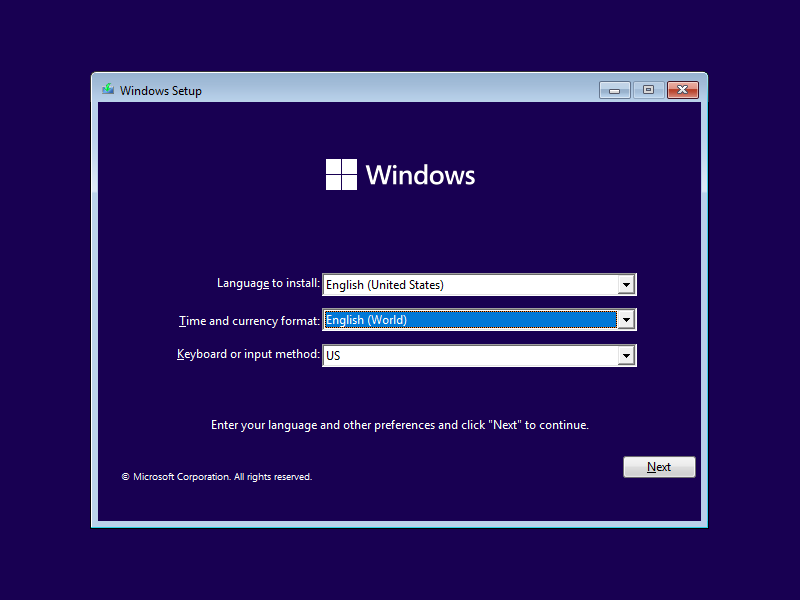
As shown in the list of changes , Microsoft has removed the Bypassnro command-line script from the new Windows Insider build, which is available in the experimental Dev Channel. This script allowed users to bypass the otherwise mandatory Microsoft account login during a fresh installation of Windows 11.
The blog post states that Microsoft made this change to ensure all users complete the Windows 11 installation with an active internet connection and a Microsoft account. The company claims this move aims to enhance both security and the overall user experience.
Bypassnro has the advantage of being very easy to use during the Windows 11 installation process. To do so, open the console by pressing Shift + F10 and type the command oobe\bypasssnro . After a reboot, the installation can be completed using the local account option.
Change included in the 25H2 update at the earliest
The Windows maker is intensifying its efforts to move users away from a local account and toward a Microsoft account. The latter allows access to existing Microsoft 365 and OneDrive subscriptions, among other things. Furthermore, if BitLocker encryption is enabled, the decryption key is saved.
However, many users find the frequent notifications and advertisements annoying, which appear less often when using a local user account.
Another way to run a Windows 11 installation without a Microsoft account, without the need for TPM 2.0, and with a significantly leaner version is offered by Tiny11.
The removal of Bypassnro currently only affects Windows 11 Insider Preview Build 26200.5516 (KB5054687) in the Dev channel. The current stable versions of Windows 11 still include the command. And Microsoft may reverse the changes in the Dev channel. If the update remains, it will not reach the general public before the 25H2 update in fall 2025.
Account requirement : Microsoft tightens the screws on Windows 11
A new preview build for Windows 11 removes a popular way to install the operating system without linking an account. Microsoft intends to use this to expand the account requirement. However, this can still be circumvented.
Microsoft has been trying for years to trick users into linking their Windows operating system to a Microsoft account when installing it. The standard installation routine has long since stopped offering a way to bypass the registration process. Until now, however, it was relatively easy to get around this with the bypassnro command. This allows you to install the operating system in Windows 11 without an active internet connection. And thus without a Microsoft account.
Blocked way out
However, Microsoft has now apparently targeted this very workaround. A new Insider Preview build for Windows 11 – build number 26200.5516 – disables the command. The company cites improvements in security and user experience as the reason for this move. However, the latter, at least, is unlikely to hold up in reality. After all, many users do not want to link their operating system to an online account.
Microsoft likely tightened restrictions to encourage more people to create a Microsoft account. Fortunately, at least for now, there are still ways for experienced users to circumvent the account requirement in Windows 11. According to The Verge, bypassnro can still be enabled in the new build via the Registry Editor. And if necessary, you can also use a customized installation file.
Conclusion
Whether and when Microsoft will also block these ways to combat the account lock in Windows 11 is currently unclear. In any case, it will likely become somewhat more complicated. In the future to install the operating system without account linking. At least: There is currently a grace period. The change from the current preview build must first make its way into the official version. Until then, the bypassnro command can still be used as usual.
Do you use Windows without a Microsoft account? Use the comment function and share your opinion with us. To comment, you must be logged in to PCGH.de or the Extreme Forum. If you don’t have an account yet, you might consider registering , which offers many advantages. Please observe the applicable forum rules when commenting .
Source used:
- With material from the News agencies Reuters news agency, BBC News and CNN reports and Microsoft. The content has been independently analyzed and rewritten to provide original insights.

Welcome to TrendFiTech, your go-to source for the latest trending news, technology updates, and financial insights. Our mission is to provide accurate, informative, and engaging content to keep you updated on global trends, innovations, and market movements.
At TrendFiTech, we cover:
✅ Trending News – Stay informed with the latest happenings worldwide.
✅ Technology – Discover innovations, gadget reviews, and tech trends.
✅ Finance – Get expert insights on investments, business, and economic updates.
We are committed to delivering high-quality, original content while ensuring a user-friendly and informative experience.
Thanks!