
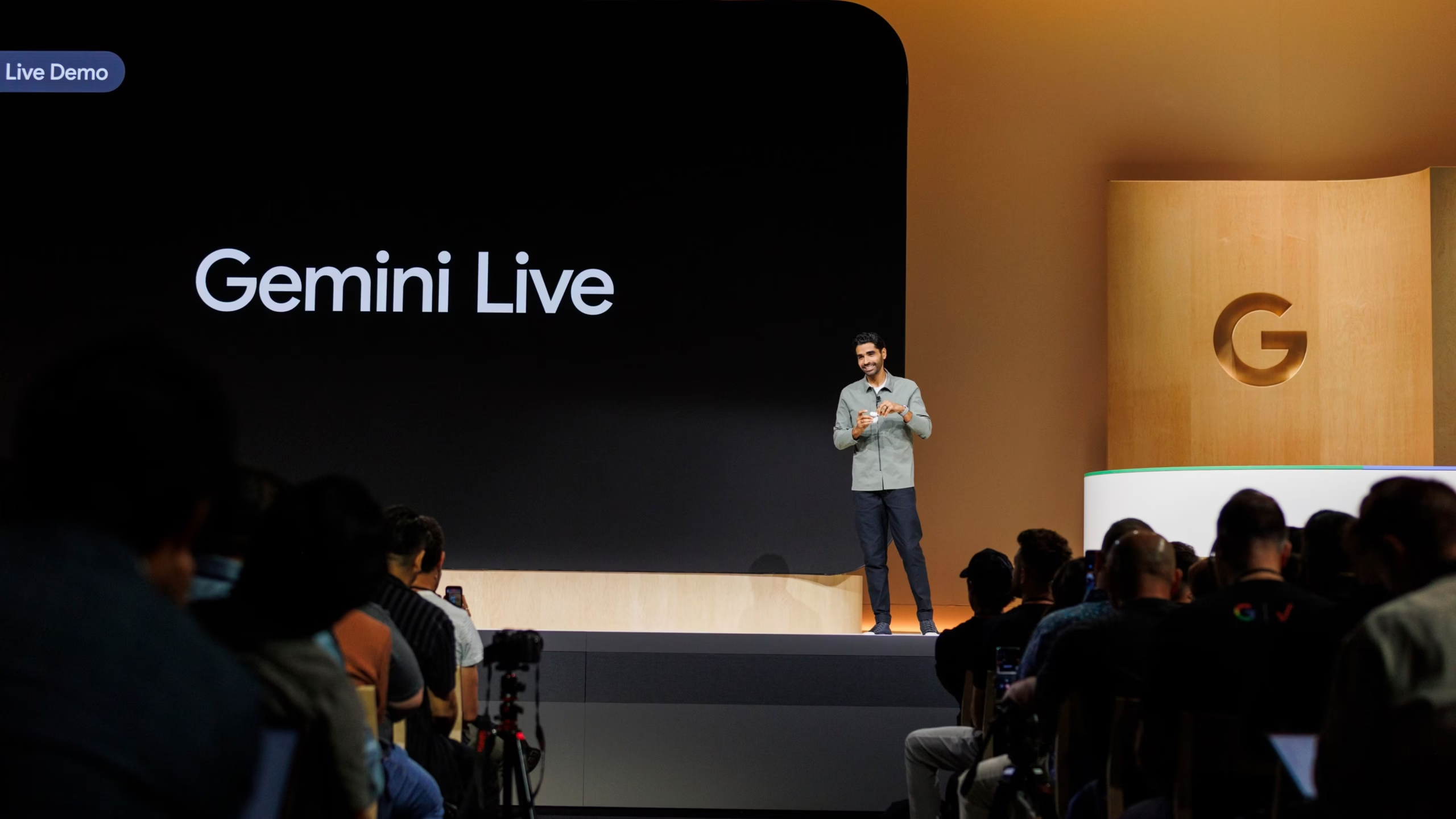
Visual AI: Google opens Gemini Live eyes
Google’s AI assistant Gemini Live is gaining the ability to process visual information. The update is rolling out now for the Galaxy S25 and Pixel 9.
Google’s AI assistant Gemini Live is receiving an update that allows the AI to not only respond to speech but also process visual information. The new feature is initially available for Galaxy S25 and Pixel 9 models and will be rolled out gradually starting now. A total of 45 different languages are supported.
With the integration of camera and screen sharing, AI can now process visual information in real time. Users can now talk to their device about what they see on the screen or record with the camera. This feature was previously only available to paid Advanced subscribers, but is now available to all Gemini app users on Galaxy S25 or Pixel 9 models.
The new visual component offers expanded interaction options. For example, the AI can now help with room organization by providing tidying tips or analyze sources of inspiration for creative projects. This capability is intended to make Gemini Live a versatile everyday assistant.
Google Gemini helps with outfit selection and shopping
The possible applications are diverse, and Google cites a few examples. Gemini Live, for example, can help with choosing an outfit or organizing a closet, offering personalized recommendations. The AI can also act as a style advisor for online shopping by analyzing product images and screen sharing. It can also assist with troubleshooting by identifying visual problems and suggesting solutions.
The update is now rolling out gradually to the Samsung Galaxy S25 series and Google Pixel 9 devices. Users of these devices can use the new features in the Gemini app at no additional cost. Users who don’t use one of the supported models will need a Gemini Advanced subscription to access the new Gemini Live features. The monthly subscription costs €21.99.
Look, Gemini: Discover new visual conversation possibilities with Gemini Live on Samsung Galaxy smartphones
Samsung Galaxy device users are already familiar with voice-controlled conversations with Gemini Live. Starting today, these will be enhanced with visual control options thanks to Visual AI. This is made possible by the latest Gemini Live update. The rollout starts today and will be rolled out continuously.
Thanks to voice support, Samsung Galaxy users can interact with their Galaxy device using natural language, making everyday tasks easier. With the latest Gemini Live update, this is also possible via the display or camera: Simply press the side button on your smartphone, Gemini Live 1 will show users what they see, and ask for advice.
So, if choosing your next outfit is particularly difficult or your closet is a complete mess, users can now turn to Gemini and enlist the help of AI. Gemini uses the camera to gain insight into your closet and can provide helpful assessments and recommendations.
Users can also share their screen with Gemini and receive personalized reviews of individual items while shopping online – so Gemini can become a personal style advisor.
With the ability to see what users see, the Samsung Galaxy S25 series with Gemini Live can become a reliable friend. The way users interact with their devices can transform the way they interact with their devices through the visual component of conversations.
The rollout of the new update will begin on April 7 with the Samsung Galaxy S25 series devices.
5 tips for camera and screen sharing in Gemini Live
Gemini Live with camera and screen sharing is now available on Android, so you can use it right away in your everyday life.
In March, we began rolling out a feature that lets you talk to Gemini in real time about what you see—whether on your phone screen or through your camera. This feature is now available to Gemini Advanced subscribers on Android devices and is rolling out today to all Gemini app users on Pixel 9 and Samsung Galaxy S25 devices.
Gemini Live lets you speak naturally and freely with Gemini in over 45 different languages . Want to try it out? Check out these five tips, based on user feedback, that show you how camera and screen sharing in Gemini Live can help you in your everyday life.
1.Troubleshoot and gather feedback
Is your drain clogged? Or is your record player malfunctioning? With Gemini Live’s camera feature, you can show Gemini what you see in real time, ask for advice, and get instant feedback. Simply point your camera at something you need help with and chat with Gemini to develop a plan together.
2. Learn and develop
Share your screen with Gemini and get valuable feedback on your work—whether it’s your latest blog post, social media campaign, or photo collection. You can get tips on everything from profile pictures and captions to layout and design. Gemini can analyze your content and identify areas for improvement, providing personalized recommendations to help you make a lasting impression.
3. Personal shopping advice
Tired of endless tabs and indecisive online shopping? Share your screen in Gemini Live while browsing online, and Gemini can be your personal shopping assistant. Ask for product comparisons or outfit styling tips. You can even show Gemini specific items and ask what they would look like. Use your camera to showcase your own wardrobe. Get instant feedback on your selections and make informed decisions.
4. Brainstorming for creative projects
If you’re feeling creatively slumped, simply brainstorm in conversation with Gemini. Show Gemini your photos or inspiring images and collages by sharing your screen and ask Gemini to give you ideas for designs, creative writing, or even crafts.
5. Create order
Feeling overwhelmed by spring cleaning? First, point your camera at a messy drawer, an overflowing closet, or an overflowing shelf. Ask Gemini for suggestions on how to categorize items, optimize space, or figure out what to donate or throw away. Use Gemini as your organizing partner and get tips and visual guides for decluttering right there in the conversation.
Google Gemini Live: The AI sees what you see
Google is making camera and screen sharing available for Gemini Live. It’s an “intuitive helper” that works in real time.
With Gemini Live, it’s now possible to use the camera and screen sharing to talk about content using AI. Google introduced the project at the last I/O under the name Project Astra. There, someone even walked through an office wearing AI glasses and talked to Gemini about what they saw. The feature is now available for Android users. Gemini Live lets you talk in 45 languages.
Specifically, anyone with a Pixel 9 or Samsung Galaxy S25 can access the Gemini Live feature. This is available with both free access and an Advanced Gemini account. Those with Advanced access on an older Android device can also use Gemini Live. Google describes the feature as “intuitive, real-time help” for everyday tasks, ranging from “styling advice and technical support to brainstorming interior design ideas.”
Conclusion
In a blog post, Google explains that Gemini Live can help with a clogged drain or a record player that’s not working the way you want it to. You simply point the camera at it and ask what’s wrong. Gemini responds in real time. This also applies to documents on the screen, for which Gemini can provide feedback. Google cites social media campaigns as an example where the AI assistant can help.
Gemini Live is similar to OpenAI’s Advanced Voice Mode. Both are available as apps. Meta has already integrated a similar feature into Ray-Ban sunglasses with Meta AI. Both Google and
OpenAI are said to be working on it as well.
FAQs:
The latest update to Gemini Live enables the AI assistant to process visual information in real time using the device’s camera and screen. This feature is currently rolling out to the Samsung Galaxy S25 series and Google Pixel 9 devices. It is available to all Gemini app users on these models without an additional subscription.
With the camera and screen sharing feature, users can interact visually with Gemini for various tasks such as getting outfit and shopping advice, organizing clutter, brainstorming creative projects, or troubleshooting technical issues. The AI provides real-time insights based on what it sees through the camera or on-screen.
No, a Gemini Advanced subscription is not required if you’re using a Samsung Galaxy S25 or Google Pixel 9 device. However, users on older or unsupported Android devices will need a Gemini Advanced subscription, which costs €21.99/month, to access the new visual features in Gemini Live.
Sources used:
- With material from the News agencies Reuters news agency. With information from google.com(
“Gemini Live: Camera and screen sharing in Google Search”). Statement and reports from reputable news sources, including news.samsung.com, Wikipedia, BBC, CNN. The content has been independently analyzed and rewritten to provide original insights.

Welcome to TrendFiTech, your go-to source for the latest trending news, technology updates, and financial insights. Our mission is to provide accurate, informative, and engaging content to keep you updated on global trends, innovations, and market movements.
At TrendFiTech, we cover:
✅ Trending News – Stay informed with the latest happenings worldwide.
✅ Technology – Discover innovations, gadget reviews, and tech trends.
✅ Finance – Get expert insights on investments, business, and economic updates.
We are committed to delivering high-quality, original content while ensuring a user-friendly and informative experience.
Thanks!